Menu
Cart 0$0.00
    Messenger support
    IOBD - Tools & software for cars
    Cart 0$0.00
    Search
    • About Us
      • About Us
      • Privacy Policy
      • Terms & Conditions
      • Returns & Refunds policy
      • Delivery Policy
    • Blog
    • News
    • Contact
    • Special
    • SUPPORT
      • WhatsApp support
      • Telegram support
    • AED
    • EUR
    • USD
    IOBD - Tools & software for cars
    Cart 0$0.00
    Cart
    Your shopping cart is empty!
    • Diagnostic
      • Car scanners
        • Cars
        • Motorcycles
        • Electric cars
      • J2534 adapters
      • Programmers
        • iProg programmer and accessories
        • Licenses and Accessories for Orange 5
        • Modules and accessories GromCalcTool
        • Scripts for UPA-USB programmer
        • Programmers
        • Accessories for programmers
        • Licenses and accessories for Abrites programmers
      • CAN-Hacker – CAN & LIN analyzers
      • Adapters
    • Chip tuning
      • Universal devices
      • Loaders, flashers
        • PCMflash
        • Combiloader
        • BitBox
        • MMC Flash
        • MMC Flash HardWare
        • MDflasher
        • Mitsubishi ECU flasher
      • Firmware editors
        • BOOTMOD3
        • iProg calculator
        • ChipTuningPro
        • BitEdit
        • ECULite
        • SVEdit
        • ProByte Edit
        • VAG IMMO Calculator
      • J2534 adapters
      • Cables and adapters
      • Wireless adapters
      • Acceleration dynamics measuring
    • Car keys
      • Programmers
        • Accessories for programmers
    • ODO/SRS
      • Programmers
      • MDflasher
      • STool
      • Gromcalc / Probyte
      • iProg Pro
        • Programmer and adapters
        • iProg scripts
        • iProg calculators
    • Software
      • BitBox
      • BitEdit
      • Calculators for iProgGuard and iProgPro
      • CAN-Hacker
      • ChipTuningPro
      • Combiloader
      • ECULite
      • Eucleia (TabScan)
      • Flex
      • FORScan
      • Gprog
      • GProg Pro SE
      • iProg scripts
        • Dashboard
        • SRS
        • IMMO / Key
        • ECU / BCM / ...
        • MCU / Flash / EEPROM
        • Car radio
        • Synchronization
        • Angle sensor
        • Conversation
        • Other
      • MDflasher
      • MHD Flasher
      • Mitsubishi ECU flasher
      • MMC Flash
      • MMC Flash HardWare
      • OBDstar
      • Other software
      • PCMflash
      • Poldiag
      • ProByte
      • ProByte Edit
      • STool
      • SVEdit
      • ThinkCar
      • UCDS
      • UPA scripts
        • Dashboard
        • ECU
        • Other
        • SAS
        • SRS
        • Packages and updates
      • VAG IMMO Calculator
      • VCTS (VolvoCarTool)
      • Xtool
    • Diagnostic
      • Car scanners
        • Cars
        • Motorcycles
        • Electric cars
      • J2534 adapters
      • Programmers
        • iProg programmer and accessories
        • Licenses and Accessories for Orange 5
        • Modules and accessories GromCalcTool
        • Scripts for UPA-USB programmer
        • Programmers
        • Accessories for programmers
        • Licenses and accessories for Abrites programmers
      • CAN-Hacker – CAN & LIN analyzers
      • Adapters
    • Chip tuning
      • Universal devices
      • Loaders, flashers
        • PCMflash
        • Combiloader
        • BitBox
        • MMC Flash
        • MMC Flash HardWare
        • MDflasher
        • Mitsubishi ECU flasher
      • Firmware editors
        • BOOTMOD3
        • iProg calculator
        • ChipTuningPro
        • BitEdit
        • ECULite
        • SVEdit
        • ProByte Edit
        • VAG IMMO Calculator
      • J2534 adapters
      • Cables and adapters
      • Wireless adapters
      • Acceleration dynamics measuring
    • ODO/SRS
      • Programmers
      • MDflasher
      • STool
      • Gromcalc / Probyte
      • iProg Pro
        • Programmer and adapters
        • iProg scripts
        • iProg calculators
    • Software
      • BitBox
      • BitEdit
      • Calculators for iProgGuard and iProgPro
      • CAN-Hacker
      • ChipTuningPro
      • Combiloader
      • ECULite
      • Eucleia (TabScan)
      • Flex
      • FORScan
      • Gprog
      • GProg Pro SE
      • iProg scripts
        • Dashboard
        • SRS
        • IMMO / Key
        • ECU / BCM / ...
        • MCU / Flash / EEPROM
        • Car radio
        • Synchronization
        • Angle sensor
        • Conversation
        • Other
      • MDflasher
      • MHD Flasher
      • Mitsubishi ECU flasher
      • MMC Flash
      • MMC Flash HardWare
      • OBDstar
      • Other software
      • PCMflash
      • Poldiag
      • ProByte
      • ProByte Edit
      • STool
      • SVEdit
      • ThinkCar
      • UCDS
      • UPA scripts
        • Dashboard
        • ECU
        • Other
        • SAS
        • SRS
        • Packages and updates
      • VAG IMMO Calculator
      • VCTS (VolvoCarTool)
      • Xtool
    • Manufacturer
    • WhatsApp
    • Email
    • Telegram
    Authorization
    Forgot your password?
    Register

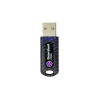
    PCMFlash USB dongle

    • Home
    • Chip tuning
      • Diagnostic
      • Chip tuning
      • Car keys
      • ODO/SRS
      • Software
    • PCMFlash USB dongle
    PCMFlash USB dongle
    PCMFlash USB dongle $31.00
    PCMFlash USB dongle
    PCMFlash USB dongle
    PCMFlash USB dongle
    Popular Bestseller
    PCMFlash USB dongle
    PCMFlash USB dongle
    In stock
    PCMflash Brand

    $31.00

    * +4% Service fee applies.

    • Download driver PCMflash USB
    • Download GrdTRU
    • Download PCMflash 1.4.7
    • Bench connection diagrams PCMflash
    • Installation and activation PCMflash
    • PCMflash Support
    Shipping Information
    Enter a delivery address
    Description

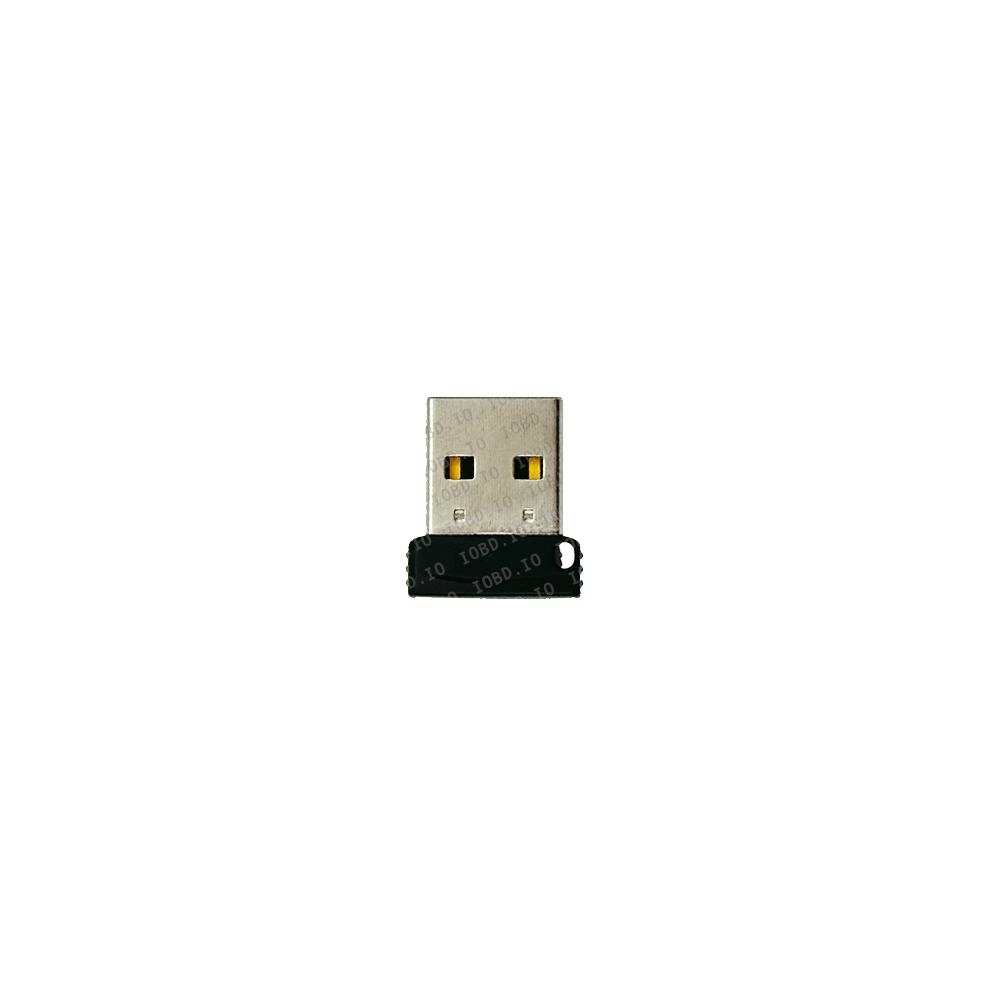
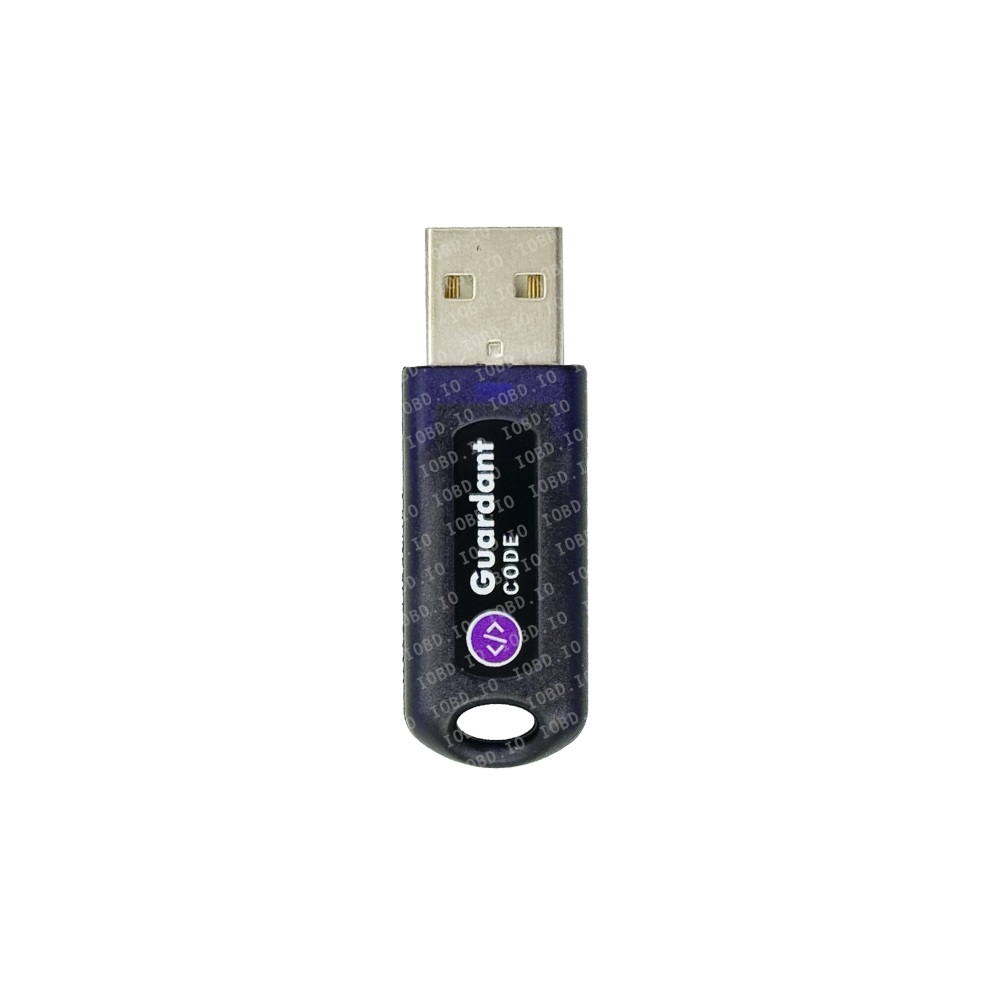
    PCMflash USB Security Dongle (Original)

    The PCMflash USB dongle is the official hardware security key required to operate the PCMflash ECU and TCU programming software. As a professional-grade solution widely used in chip tuning and automotive diagnostics, PCMflash relies on this physical device to store and verify software licenses.

    The dongle is not sold without a module! You must add a minimum of 1 modules to your order.
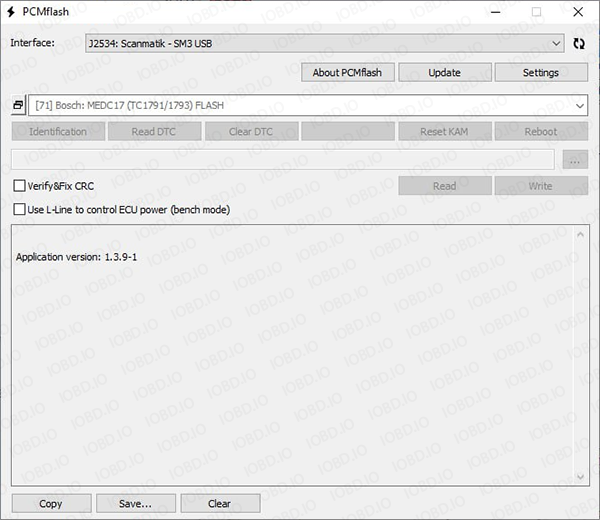
    Without the PCMflash security key, the software will not launch or function. This makes the dongle an essential component for anyone working with ECU reprogramming, whether in a professional workshop or as an advanced DIY enthusiast.

    Built on Guardant security technology, the dongle provides a robust and tamper-resistant licensing system. It ensures that your purchased modules and activations are securely stored and accessible only through your unique hardware lock.

    If you're planning to buy PCMflash original, it is strongly recommended to purchase both the PCMflash USB hardware lock and the required software modules together for a seamless setup experience.

    Key Features & Benefits

    Plug & Play Convenience

    • Simple USB connection with automatic recognition by PCMflash software
    • No complex installation or configuration required
    • Immediate access to your licensed modules after activation

    Reliability & Security

    • Official Guardant dongle for PCMflash ensures stable and secure operation
    • Protects your investment with encrypted license storage
    • Full access to official updates and support

    Wide Compatibility

    • Works with leading J2534 ECU programming tools, including:
      • Scanmatik 2 Pro / Scanmatik 3 (maximum compatibility with all modules)
      • Tactrix OpenPort 2.0
      • Dialink
    • Supports advanced tuning operations such as:
      • OBD2 flashing
      • Bench mode programming
      • Boot mode access

    Portability & Flexibility

    • Carry your licenses anywhere—simply plug the dongle into any PC
    • Ideal for mobile technicians and multi-location workshops
    • No need for repeated activations or installations

    Advanced Functionality Support

    • Enables features like checksum correction and virtual read
    • Full compatibility with the complete PCMflash modules list
    • Designed for professional-grade ECU and TCU tuning workflows

    How to Get Started

    Getting started with PCMflash is straightforward and efficient:

    • Purchase the PCMflash USB dongle - This is your mandatory chip tuning software key and license carrier.
    • Select and order PCMflash modules - Choose the specific modules you need based on vehicle brands, ECUs, or tuning methods.
    • Receive activation and begin tuning - Once activated, you can start working immediately using:
      • OBD mode
      • Bench mode
      • Boot mode

    By combining the PCMflash USB dongle with the appropriate modules, you unlock a powerful and flexible ECU programming environment.

    Why Buy from IOBD.IO?

    When purchasing your PCMflash hardware lock, choosing a trusted supplier is critical. IOBD.IO offers a reliable and professional solution for automotive specialists worldwide.

    • Worldwide Shipping - Fast and secure delivery to the US, Europe, Australia, and beyond
    • Fast Digital Activation - Quick processing of PCMflash activation and module licensing
    • Technical Support - Expert assistance for setup, compatibility, and troubleshooting
    • Genuine Products Only - Guaranteed original PCMflash security key and licensed modules

    Modules
    Adapters
    J2534 adapters
    Recommended Articles
    Installation and activation PCMflash
    Installation and activation PCMflash 16 December, 2023
    What is PCMflash?
    What is PCMflash? 7 September, 2023

    Tags: PCMflash

    Please select required options

    IOBD.IO

    2025

    Diagnostics
    • Diagnostic
    • Car scanners
    • Programmers
    • CAN-Hacker – CAN & LIN analyzers
    Flashers
    • Loaders, flashers
    • PCMflash
    • BitBox
    • MMC Flash
    • MDflasher
    • Combiloader
    Firmware editors
    • Firmware editors
    • BitEdit
    • ChipTuningPro
    • SVEdit
    • ECULite
    J2534 adapters
    • J2534 adapters
    • Cables and adapters
    About company
    • About Us
    • Privacy Policy
    • Terms & Conditions
    • Manufacturer
    • Delivery Policy
    • Contact
    Support

    10:00–23:00 (GMT+4)

    We’re online
    • Telegram
    • WhatsApp
    • Instagram

    IOBD.IO, 2025

    • visa
    • Mastercard
    • Apple Pay
    • Google Pay
    • PayPal
    • TRC20

    Modules pcmflash

    Adapters pcmflash

    • Scanmatik TunerWire
      In Stock
      Scanmatik TunerWire

      $50.00

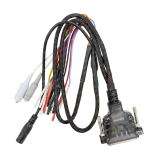
      Scanmatik TunerWire — Professional Boot / Bench Cable for ECU Diagnostics and Chip TuningScanmatik TunerWire is a next-generation Boot / Bench cable designed for working with automotive ECUs (Engine Control Units) in diagnostics and chip tuning applications. Developed based on extensive hands-on experience with a wide range of ECUs, it ensures stable connections, advanced protection, and maximum ease of use.The cable is идеально suited for professionals involved in ECU flashing, chip tuning, and vehicle diagnostics, and is fully compatible with popular software such as PCMflash, BitBox, and Combiloader and other programs.Key Advantages of Scanmatik TunerWireAutomatic GPT Signal AdjustmentUnique circuitry eliminates the need for external resistors or capacitors when working with problematic ECUs such as EDC7C32, EDC16CP33, EDC17C49, and othersWide ECU CompatibilityTested on all ECU types from EDC and Simos families supported by major chip tuning softwareManual and Automatic Power Control ModesFlexible operation depending on your workflowForced ECU Power Button (VECU)With LED indication for full control during operationAdvanced Protection Systemshort circuit protectionreverse polarity protectionovervoltage protection up to 36VDurable CAN Line ResistorResistant to burnout even in case of incorrect power connectionHigh-Power Switching CircuitEnsures reliable operation with ECUs requiring high startup currentErgonomic BOOT/CNF ClipsNon-slip design, stable grip during operationColor-Coded WiringFully compliance with PCMflash documentation for error-free connectionReinforced Terminal TipsMade from rigid heat-shrink tubing, preventing bending during useStatus IndicatorsBOOT / CNF / Vpp line indication for quick diagnosticsStable Desktop DesignBuilt-in stand for comfortable work on the tableAdapters IncludedSupports ECUs with different terminal types out of the boxTechnical SpecificationsPower Supply Voltage: 12–36 VCable Length: 0.6 mWeight: 150 gPackage ContentsScanmatik TunerWire cableFlat terminal adapters (Lyra 2.1 mm) — 7 pcsRound terminal adapters (2 mm) — 7 pcs

    • Boot/Bench cable Scanmatik (automatic and manual)
      In Stock
      Boot/Bench cable Scanmatik (automatic and manual)

      $74.67

      Boot/Bench Cable for Scanmatic 2/2 Pro and Scanmatic 3 with Automatic and Manual Power & Boot ControlThe universal Boot/Bench cable for Scanmatic 2 / 2 PRO and Scanmatic 3 is a professional solution for ECU programming and working in Boot and Bench mode. Fully compatible with popular flash tools including PCMflash, MD Flasher, BitBox, and others.Supports Automatic and Manual ECU Power Control:Automatic mode is implemented via the L line — your flasher must support automatic power control. Manual mode is controlled via toggle switches, allowing you to manage power supply and Boot mode activation reliably.Cable Features:Full compatibility with Scanmatic 2 and 3Boot and Bench mode supportPower status LEDsAll wires are labeled with white shrink sleevesMade in Russia — high build quality and reliabilityTested with the following modules:PCMFlash: 42, 44, 53, 58, 71, 77, 80, 86, 89BitBox: Bosch MG1/MD1 BENCHMD Flasher: License 14 and othersPinout of Boot / Bench cable for Scanmatik 2:+12V - red (2 large and 2 small contacts)GND - black (1 large and 2 small contacts)CAN H - white (1 small contact)CAN L - green (1 small contact)K-Line - yellow with black (1 small contact)GPT1 - orange (1 medium contact)GPT2 - yellow (1 medium contact)VPP - purple (1 small contact)VPROG_AUX - pink (1 small contact)BOOT1 - gray (crocodile clip)BOOT2 - brown (crocodile clip)CNF1 - blue (crocodile clip)

    • Universal PowerBox from Serdgp
      In Stock
      Universal PowerBox from Serdgp

      $82.13

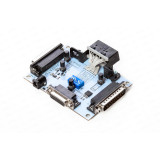
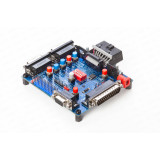
      Universal Powerbox by Serdgp for working with control units on the table. The project author is a Russian enthusiast Serdgp. Developed and produced in Russia. Universal adapter for connecting control units on the table to various flashers or diagnostic equipment. It is an improved and modified version of Chipsoft Breakout Box V2.This adapter is designed for voltage switching and various signal connections when working with units such as ECU, ODO, SRS, ABS, etc. Any flashers can be used during operation; (PCM Flash, ECUF Flasher, MMC Flasher, ChipLoader(NG), Combiloader, M&D Flasher, and others, working through adapters OP2, Scanmatik 2 (2 Pro), Dialink, Chipsoft (all models), Mongoose, K-L Line, and others, declared in the programs.To avoid damaging the adapters, units, and incorrect program operation, it is not allowed to connect multiple adapters to the connectors simultaneously, except when working with Combiloader! Main advantages of the universal Powerbox by Serdgp: Separate power control for each connector with separate indicator lights Possibility of automatic power control (L-line). In this case, power is supplied to all connectors at once In Combiloader, automatic power control is organised from its own host and is also output to the Ktag connector Presence of 4 boot pins with 1k to ground (gnd) and 2 boot pins with 1k to 3.3V with the possibility of both manual and automatic activation (12 pin OBD) DIP switch for setting additional resistance on the can bus (120 Ohm or 60 Ohm) Full compatibility with PowerBox for PCM Flash. The DB-15 Ktag connector also has additional GPT outputs for use with the 71 module Full compatibility with Chipsoft breakout box. The DB9 connector and the "comb" are the same Combination of power supply for the "comb" and DB-9 connector Connection to Scanmatik without OBD2 cable The PowerBox adapter has the following connection connectors: OBD2 connector for connecting J2534 and other adapters COMBILOADER for connecting the adapter KTAG, DB15 connector, used for connecting control units SCANMATIK for connecting Scanmatik 2 or Scanmatik 2 PRO The functionality of each button is labeled on the board: ODB Power, when pressed, supplies +12V to pin 16 of the OBD connector. Used for working with Combiloader and Dialink. When using GPT, according to the Combiloader manual, power needs to be turned off in some cases When GPT Select is pressed, GPT1 output is connected to pin 15, and GPT2 is connected to pin 7 of the OBD connector. When GPT Select is released, GPT1 is connected to pin 1, and GPT2 is connected to pin 2 of the OBD connector. It is used to select the source of the GPT signal generation. When pressed, it is used for Combiloader and Dialink, and when released, it is used for Scanmatik 2 and PCMFlash or using the GPT2 contact for j1850 (+). When DB15 POWER is pressed, the corresponding connector is activated. When released, automatic power supply is used (if enabled by the DIP switch). BOOT - Boot pin mode (ground and +3.3V are applied to the corresponding pins through 1 kOhm resistors of the DB-15 connector) for automatic and manual activation. There are 6 DIP switches located in the center of the board for configuring the box for different loaders or situations: 1. 120 Ohm CAN - switching the Can bus with a 120 Ohm resistor 2. Auto Power - enabling/disabling power control 3. Auto Boot - enabling/disabling Boot pin control 4. Combi K-Line - enabling/disabling K-Line from the Combiloader connector on DB-15 5. OBD K-Line - enabling/disabling K-Line from OBD+Scanmatik on DB-15 6. 120 Ohm CAN - switching the Can bus with a 120 Ohm resistor (to obtain 60 Ohms) This adapter can also be used for signal switching during diagnostics and repair on the bench; for engine control units, SRS, ABS, and others. It is also convenient for working with instrument clusters that require power supply and various signals. DB15 pinout on the board: BOOT1-(RESET) - negative output through a 1 kOhm resistor VPP/BOOT(+17V) - for Combiloader, enables programming for Mitsubishi via OBD2, boot pin output +17V GPT2/J1850+ - in BSL, BSM mode it is GPT2, direct connection when working with Scanmatik 2Pro, Ford PWM blocks J1850+ bus BOOT+(CNF1) - +3.3V output through a 1 kOhm resistor +12V - constant voltage +12V AUX18V - when working with Scanmatik 2Pro, direct connection, FEPS +18V for Ford PWM blocks, also boot pin +17V when working with Mitsubishi CAN-HI - CAN-H bus output J1850- - when working with Scanmatik 2Pro, direct connection, Ford PWM blocks J1850 bus KEY+12 - controlled voltage +12V, controlled by L-Line BOOT2- - negative output through a 1 kOhm resistor GND - ground output GPT1 - in BSL, BSM mode it is GPT1 Empty K-LINE - K-Line bus output CAN-L - CAN-LOW bus output To start working, we recommend purchasing a DB15 cable, which is not included in the kit and is necessary for connecting to control units on the bench.

    • Universal PowerBox from MusicRabbit
      In Stock
      Universal PowerBox from MusicRabbit

      $82.13

      Universal Powerbox by MusicRabbit for working with control units on the table. The project author is a Russian enthusiast MusicRabbit, assembly Wolfman84. Developed and produced in Russia. An universal adapter for connecting control units on the table to various flashers or diagnostic equipment. It is an improved and modified version of the Chipsoft Breakout Box V2. Currently, version V3 is available for sale. Version 2 is outdated and no longer supplied. The differences between V3 and V2 are listed at the bottom. The entire functionality of V2 is preserved. Main advantages of the universal Powerbox: Separate power control for each connector with individual light indication Possibility of automatic power control (L-line). In this case, power is supplied to all connectors at once Automatic power control in Combiloader is organised from its own host and is also output to the Ktag connector Presence of 4 boot pins with 1k to ground (gnd) and 2 boot pins with 1k to 3.3V, with the possibility of both manual and automatic activation (12 pin OBD) Possibility of manual control of prg.en output at the ML connector and Vpp output at the Ktag connector. With the button released, it is connected to GND, and with the button pressed, it is connected through 1k to +12V. For old units like "Yanvar 7.2" DIP switch for setting additional resistance on the CAN bus (120 Ohms or 60 Ohms) Full compatibility with PowerBox for PCM Flash. The DB-15 Ktag connector also has additional GPT outputs for use with the 71st module Full compatibility with Chipsoft breakout box. The DB9 connector and the "comb" are similar Power supply for the "comb" and DB-9 connector is combined The PowerBox adapter has the following connection connectors: OBD2 connector for connecting J2534 and other adapters COMBILOADER for adapter connection KTAG, connector for DB15 cable, used for working with PCMflash ML for Motor-Loader (Tula) adapters CL for Chipsoft OBD2 "Comb" with universal outputs The functionality of each button is labeled on the silk screen of the board: ODB Power, when pressed, provides +12V to pin 16 of the OBD connector. It is needed for working with Combiloader and Dialink. According to the Combiloader documentation, in some cases, power needs to be turned off when using GPT GPT Select, when pressed, GPT1 output is connected to pin 15, and GPT2 is connected to pin 7 of the OBD connector. When lifted, GPT1 is connected to pin 1, and GPT2 is connected to pin 2 of the OBD connector. It is used to select the source of GPT signal generation. When pressed, it is used for Combiloader and Dialink, and when released, it is used for Scanmatik 2 and PCMFlash or using the GPT2 contact for j1850 (+) VPP Power when pressed connects the VPP pin of the KTAG connector and the Pr.En (pin2) of the ML connector to the negative power (GND). When released, it is connected to pin 11 of the Combiloader connector (programming enable). Ktag Power, ML Power, CL Power when pressed activates the corresponding connector. When released, automatic power control is used (if enabled by DIP switch selection). An unlabeled switch in the center of the board is the Boot pin. It is used for forced activation of Boot pins. When released, automatic control is used (+5V on the 12-pin OBD) (if enabled by DIP switch selection). In the center of the board, there are 6 DIP switches for configuring the box for different flashers or situations: 1. 120 Om For CAN - Used to connect a 120-ohm terminating resistor to the CAN bus.2. M86\M74 Cable Q1 ML - Controls pin 3 of the ML connector. It is used to activate the internal transistor in the Molex 48-32 Pin cable or switch the relay in the Molex 55-65 pin cable from the Tula MotorLoader when using cables with other programs.3. AutoPower Enable - Enables automatic power control of the connectors, specifically, it controls pin 15 of the OBD connector and disconnects it from the Auto Power transistor. When using GPT from Dialink in combination with Combiloader, this switch should be turned OFF. Note that this switch does NOT disconnect the automatic power from Combiloader. Pin 5 of the Combiloader connector (ignition) is always connected to power lines, regardless of the position of this switch.4. AutoBoot Enable - Enables automatic control of the boot pins through the 12-pin OBD connector.5. Combi to Kline - Connects the Kline bus of the Combiloader connector to the common Kline bus.6. ODB to Kline - Connects the Kline bus of the OBD connector (pin 7) to the common Kline bus. When using GPT from Dialink in combination with Combiloader, one of the source selection switches should be turned OFF as the GPT contact of Combiloader will be connected to the Kline, which may affect the GPT signal generation.This adapter can also be used for signal switching during diagnostics and repairs on the table, for engine control units, SRS, ABS, and others. It is also convenient for working with instrument panels where power supply and various signals are required. Pinout of the connectors on the board: KTAG: 1 - RESET 2 - VPP 3 - GPT2 (J1850+) 4 - CNF1 5 - +12 6 - -- 7 - CAN-H 8 - J1850 - 9 - Power 10 - BOOT 11 - GND 12 - GPT1 13 - -- 14 - K-LINE 15 - CAN-L ML: 1 - +12V 2 - Prg.En. 3 - Q1 4 - GND 5 - GND 6 - CAN1 H 7 - CAN1 L 8 - -- 9 - -- 10 - Power 11 - K-Line 12 - -- 13 - K-Line 14 - OBD-1 (GPT1) 15 - OBD-2 (GPT2) CL: 1 - GND 2 - GND 3 - CAN H 4 - K-Line 5 - CAN L 6 - J1850 - 7 - J1850 + 8 - L-Line To get started, we recommend purchasing the DB15 cable, which is not included in the package and is necessary for connecting to control units on the table. 9 - Power COMBILOADER: 1 - K-line 5 - Power 11 - VPP 18 - +12V 21 - GND 22 - GND Version 3 V3 is the next revision of the universal PowerBox by MusicRabbit. Differences between V3 and V2: GPT contacts are brought out to the PowerBox +12V separation is implemented Boot pin with 4.7kOhm to ground is added Added contact carriage for Combiloader To get started, we recommend purchasing the DB15 cable, which is not included in the package and is necessary for connecting to control units on the table. For convenient connection, you can add Dupont cable to your order.

    • DB15 cable for PowerBox
      In Stock
      DB15 cable for PowerBox

      $34.35

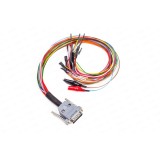
      Universal DB15-PIN cable for connecting to various control units. Used together with PowerBox for PCMflash, Combiloader, and other loaders, such as BitBox. The cable is equipped with an additional pair of contacts on the "VECU" circuit and a pair of additional contacts on the "VKEY" circuit, which together allows for up to eight power voltages to be supplied (four small contacts and four large ones).  To avoid confusion with identical colors, GPT1 and GPT2 are additionally marked and brought out separately with additional CAN-H CAN-L. The DB-15 connector is designed for connecting the ECU. It is recommended to use the DB15 - PIN cable. The connector has the following connection scheme: 1 BOOT brown 2 VPP purple 1 piece 3 GPT2 4 CNF1 blue 5 VECU +12V red 4 pieces 6 J1850 L 7 CAN-H white 9 VKEY orange 4 pieces 10 BOOT gray 11 GND black 2 pieces 12 GPT1 13 J1850 H 14 K-LINE yellow 15 CAN-L green To ensure error-free connection, the cable is additionally marked: gray BOOT wire, supplying 0 Volts, equipped with a black crocodile clip brown RESET wire, supplying 0 Volts, equipped with a black crocodile clip Blue CNF1 wire, supplying +3.3 Volts equipped with a red alligator clip

    • PowerBox PCMflash
      Out Of Stock
      PowerBox PCMflash

      $197.00

      The adapter is designed for connecting control units to the J2534 adapter on the table and provides manual or automatic control of the unit's power, as well as generating RESET, BOOT, CNF1, GPT1, GPT2, WATCDOG signals. It is compatible, in automatic mode, with all loaders that use the following signals for control: BOOT-OEM12, 12-pin OBD-II; L-LINE, 15-pin OBD-II.   The device has built-in current-limiting resistors on the signal lines: RESET - 510 Ohms; BOOT - 510 Ohms; CNF1 - 220 Ohms. The device is equipped with connectors that allow flexible connections: USB connector, designed for connection to the computer for updating the PowerBox device software, as well as for programming Renesas processors; DC connector, designed for powering the device and the connected ECU; J2534 connector (OBD-II-F), designed for connecting a J2534 interface with an OBD-II connector; DB-15 connector, designed for connecting to the ECU connector; IDC-26 connector, designed for direct connection to the ECU board or via an adapter to a specialised header. For working with Tricore GPT, it is recommended to use cable 14P600KT06 or an equivalent. For programming Renesas processors, the Flash Development Toolkit software is recommended. Controls: The device is equipped with three switches to operate in different modes. "POWER" switch, power control. The device has three power supply modes for the ECU: OFF, turned off, allows removing all power and control signals from the IDC-26 and DB-15 connectors; MANUAL, turned on, provides power to the VECU and VKEY terminals, as well as control outputs depending on the selected operation tactic; AUTO, automatic control, in this mode, the power control is performed by the loader using the L-Line signal (15-pin OBD-II). "BOOT" switch, simultaneous control of the BOOT, RESET, and CNF1 signals (3.3 volts): OFF, turned off, allows removing all control signals from the DB-15 connector; MANUAL, turned on, pulls RESET and BOOT to the signal ground, and CNF1 to +3.3 volts; AUTO, automatic control, in this mode, simultaneous control of the BOOT, RESET, and CNF1 signals is performed by the loader (12-pin OBD-II, OEM12). "GPT" switch, for working with Renesas processors and Tricore with GPT. When working with SH705x series processors, 5 volts is required, and in other cases, 3.3 volts.   Indicators: A LED indicator, located next to the 5V/3.3V switch, indicates the presence of 5V or 3.3V voltage. VECU, VKEY LED indicator indicates the presence of VECU and VKEY voltage. A 12V LED indicator indicates the presence of power voltage. A BOOT LED indicator indicates the presence of voltage on the CNF1 output (the indicator functions as both input and output).   Attention! DB15 cable is not included in the package and needs to be purchased separately.

    • CombiBox for PCMflash
      Out Of Stock
      CombiBox for PCMflash

      $119.47

      The CombiBox switching device is designed to connect the control unit to the PCMflash software loader and J2534 adapter on the table, as well as to switch power voltages and generate BOOT and CNF1 signals. The Combibox allows for the generation of GPT1 and GPT2 signals when using the J2534 diagnostic autoscaner Scanmatic 2 Pro, which allows for working with 53 and 71 PCMflash modules, as well as with new modules that require these signals. To work with the device, it needs to be connected to a stabilised 12V voltage (the mating part of the connector is included in the package). When soldering the power wire, it is necessary to observe the correct polarity of the connection, as failure to do so can damage the device and the vehicle's control unit. When working with the ECU and Combibox, it is recommended to use adjustable power sources with a threshold voltage of up to 30 volts and a maximum current of at least 3 amps. Connectors and connection schemes for the Combibox: 1. J2534 - for connecting the Scanmatic 2 Pro autoscaner 1 - GPT2 2 - GPT1 4 - GND 5 - GND 6 - CAN-H 7 - K-LINE 12 - SELECT BOOT 14 - CAN-L 15 - L-LINE 16 - +12V 2. DC IN 5A Max Jack - for connecting power to the device 3. DB-15 - for connecting to the ECU with a universal cable 2 - Purple, VPP 3 - Green-Brown, GPT2 4 - Blue, CNF1 5 - Red, VECU +12V 7 - White, CAN-H 9 — Orange, VKEY +12V 10 — Gray, BOOT 11 — Black, GND 12 — Yellow-Orange, GPT1 14 — Yellow, K-Line 15 — Green, CAN-L   Switches and their modes: 1. “POWER”, power control. The device has three power supply modes for the ECU: “OFF”, turned off, disconnects all power and control signals from the DB-15 connector. “ON”, turned on, supplies power to the VECU and VKEY terminals, as well as control outputs depending on the selected BOOT switch mode. “AUTO”, automatic control, in this mode the power supply is controlled by the PCMflash tool. 2. “Boot SW”, BOOT signal control: “OFF”, turned off, disconnects all control signals from the DB-15 connector. “ON”, turned on, pulls BOOT signal to the signal ground. “AUTO”, automatic control, in this mode the BOOT signal is controlled simultaneously by the PCMflash tool. 3. “CNF1”, CNF1 signal control (3.3 volts): “OFF”, turned off, disconnects all control signals from the DB-15 connector. “ON”, turned on, pulls CNF1 signal to +3.3 volts. “AUTO”, automatic control, in this mode the CNF1 signal is controlled simultaneously by the PCMflash tool. The LED indicators on the front panel of the device: “Power IN” indicates the presence of power supply voltage; “Power OUT” indicates the presence of voltage on the ECU; “Boot ON” indicates the presence of BOOT signal pull-up; “CNF1 ON” indicates the presence of CNF1 signal pull-up. Package Contents: CombiBox universal DB-15 cable power plug

    J2534 adapters. tab3

    • Scanmatik 3
      In Stock
      Scanmatik 3

      $421.00

      Scanmatik 3 – A New Generation Diagnostic Tool with CAN-FD and DOIP Protocol Support Scanmatik 3 is a state-of-the-art multi-brand diagnostic device designed for professional use in the automotive industry. This tool is ideal for working with advanced automotive control systems and is compatible with PCs, tablets, and smartphones running Windows and Android platforms. The most popular solution for working with flashers and loaders such as: PCMflash, BitBox, MDflasher, MMC flasher, Combiloader, ProByte and others. Features and Capabilities After installing the included driver, the device integrates seamlessly with diagnostic software compliant with SAE J2534 and RP1210 standards. It also supports bootloaders capable of supplying programming voltage to specific pins of the diagnostic connector, significantly enhancing its functionality. The adapter comes with built-in USB and Wi-Fi interfaces, providing maximum flexibility and convenience during operation. Software Package The basic package includes the latest version of the software, equipped with modules for diagnosing popular vehicle brands, such as: Domestic brands: VAZ, GAZ, UAZ, Izh, KAMAZ, PAZ Foreign brands: Chevrolet, Daewoo, Ravon, Mitsubishi, Kia, Hyundai Chinese brands: Chery, Geely, Great Wall, Lifan, BYD OBD2 protocol. Compatibility with Third-Party Software Scanmatik 3 is compatible with a wide range of third-party programs and bootloaders operating under the SAE J2534 and RP1210 standards, making it a universal tool for diagnostics and configuration. Technical Specifications Communication Interfaces: USB, Wi-Fi Power Supply Voltage Range: 5–35 V from the vehicle or USB (galvanically isolated power supply) Maximum Current Consumption: up to 350 mA Built-in Power Blocks: proprietary design with a 5–55 V input range, preventing overheating Wi-Fi Standard: IEEE 802.11b/g/n Supported Data Buses: 13 x ISO-9141/ISO-14230 (K-LINE) 1 x J1850VPW 1 x J1850PWM 4 x CAN 2.0/CAN-FD 1 x Single Wire CAN 1 x Ethernet 10/100BASE-TX The Scanmatik 3 adapter stands out for its high reliability, extensive functionality, and ability to handle a wide range of tasks. The device supports both J2534 and RP1210 modes, making it an indispensable tool for professional diagnostics of modern vehicles. This tool is an excellent choice for those who value precision, versatility, and convenience when working with automotive electronics.

    • Dialink
      Out Of Stock
      Dialink

      $224.00

      Dialink - J2534 adapter from the manufacturer Combiloader, a Russian company SMS soft. Dialink adapter is 100% compatible with Combiloader. Advantages and features of Dialink J2534: Superior compatibility with J2534 compared to the popular OpenPort 2.0 adapter Up to 10 times faster than OpenPort 2.0 Supports work with commercial vehicles with a 24V onboard network Works in K+DCAN mode for BMW Standard Tools and Rheingold Works in ELM327 mode Works with the program SMS-Diagnostics 3   Which protocols does Dialink support: ISO-9141/ISO-14230 (K/L-Line) J1850 VPW/PWM ISO-11898/ISO-15765 (CAN) OBD2 connector pinout for Dialink: 2(BUS+)/10(BUS-): J1850 VPW/PWM (Ford/GM/Chrysler...) 4/5: ground 6(CAN-H)/14(CAN-L): ISO-11898/ISO-15765 CAN 7(K-Line)/15(L-Line): ISO-9141/ISO-14230 K/L-line (bidirectional lines) 16: power supply Dialink adapter supports work with many J2534 programs, such as Mercedes Xentry Passthru, Toyota Techstream, VAG ODIS, and others. Dialink. Review. Xentry J2534 Test. Mercedes Diagnostics.

    • UCDS v.5
      Out Of Stock
      UCDS v.5

      $310.00

      Original UCDS v.5 adapter - a novelty from St. Petersburg developers for diagnostics, coding, programming, localization, and chip tuning of Ford cars. The main difference of the new UCDS adapter version?5 from the old versions is the support for the most modern Ford cars of?2022-2023 production years. The hardware is designed with great potential for future updates. Technical support for all American electric vehicles is fully implemented. The basic configuration of the device is supplied without licenses, in the order you can select additional licenses of your choice The UCDS?5 diagnostic adapter is made on a standard printed circuit board using the most modern high-performance electronic components. In the new version of the adapter, the adapter can be connected to the computer via wireless WiFi or USB for working with modern software. The difference between version?5 adapter and old devices: Added support for CAN FD protocol with three independent buses, hardware support for LIN, K\L-Line. WiFi operation in two modes: connecting to the adapter as an access point or connecting the adapter to a Wi-Fi network. Supports working with ECU modules in "Stand" mode, the adapter generates GPT signals (operation verified by PCMFLASH software complex) The UCDS adapter and software package can perform the following functions: Diagnose all electronic modules of the car via the CAN bus Display data about car modules, such as their catalog number, calibration version, serial number. Encode the central configuration of the car, as well as individual blocks, retrofit the car, activate hidden options. Update control unit firmware Perform localization of factory multimedia systems Activate the automatic folding mirror function. Localization of Convers+ instrument panels, firmware of modified software from Motral to expand the capabilities of the factory instrument panel Correction of mileage on the instrument panel and other blocks Perform chip tuning Perform non-factory chip tuning, disable lambda probes, DPF, EGR, swirl flaps. Perform activation and adaptation of control units, reset adaptive values. Reset and set service intervals And many other functions The Universal Control Unit Diagnostic System (UCDS) adapter can work in two modes: Using UCDS software In J2534 mode for working with third-party software UCDS v.5 adapter licenses: ODO License - mileage reset function, as well as all functions for which level?1 tokens were previously written off EXT License - extended license PATS License - a license that provides access to PATS functions (working with Ford car keys) The kit includes: UCDS v.5 adapter Software To work with control units on the bench, we recommend a special Powerbox for UCDS .


    ...

    Merge with the product from the cart? // The main product of the bundle has already been added to the cart. Merge with the product from the cart or add the bundle to the cart?

    Bundle

    Customize bundle or add to cart? You can customize the bundle.

    Bundle

    Bundle

    Merge with the product from the cart? // The main product of the bundle has already been added to the cart. Merge with the product from the cart or add the bundle to the cart?

    Bundle

    Remove bundle from cart?
    [{"widget_id":"1","display_mode":"product_page","main_product_id":"234","kit_id":"2","config_product_page":{"display_method":"block","selector":"[data-tabs-content=tab_custom_tab_0]","selector_mode":"insert","popup_position":"center"},"config_custom_page":{"custom_page_mode":"url","custom_page_layout_id":"6","custom_page_url":"","custom_page_route":"","display_method":"block","selector":"","selector_mode":"after","popup_position":"center","cart_free_product_mode":"0"},"config_category_page":{"display_method":"block","selector":".product-layout, .product-grid","selector_mode":"after","popup_position":"center"},"config_module":{"module_id":"-1","layout_id":"6","cart_free_product_mode":"0","position":"content_top","sort_order":"0"},"unique_id":"6a572f263add0","slider_mode":"0","slider_autoplay_status":"0","slider_autoplay_time":"3000","main_mode":"series","kit_as_product":"0","kit_as_product_light_mode":"0","template":"custom_template_1","html_element_action":"0","html_element_action_selector":""},{"widget_id":"2","display_mode":"product_page","main_product_id":"234","kit_id":"3","config_product_page":{"display_method":"block","selector":"[data-tabs-content=tab_custom_tab_1]","selector_mode":"insert","popup_position":"center"},"config_custom_page":{"custom_page_mode":"url","custom_page_layout_id":"6","custom_page_url":"","custom_page_route":"","display_method":"block","selector":"","selector_mode":"after","popup_position":"center","cart_free_product_mode":"0"},"config_category_page":{"display_method":"block","selector":".product-layout, .product-grid","selector_mode":"after","popup_position":"center"},"config_module":{"module_id":"-1","layout_id":"6","cart_free_product_mode":"0","position":"content_top","sort_order":"0"},"unique_id":"6a572f263c441","slider_mode":"0","slider_autoplay_status":"0","slider_autoplay_time":"3000","main_mode":"series","kit_as_product":"0","kit_as_product_light_mode":"0","template":"custom_template_1","html_element_action":"0","html_element_action_selector":""},{"widget_id":"3","display_mode":"product_page","main_product_id":"234","kit_id":"21","config_product_page":{"display_method":"block","selector":"[data-tabs-content=tab_custom_tab_2]","selector_mode":"insert","popup_position":"center"},"config_custom_page":{"custom_page_mode":"url","custom_page_layout_id":"6","custom_page_url":"","custom_page_route":"","display_method":"block","selector":"","selector_mode":"after","popup_position":"center","cart_free_product_mode":"0"},"config_category_page":{"display_method":"block","selector":".product-layout, .product-grid","selector_mode":"after","popup_position":"center"},"config_module":{"module_id":"-1","layout_id":"6","cart_free_product_mode":"0","position":"content_top","sort_order":"0"},"unique_id":"6a572f2640746","slider_mode":"0","slider_autoplay_status":"0","slider_autoplay_time":"3000","main_mode":"series","kit_as_product":"0","kit_as_product_light_mode":"0","template":"custom_template_1","html_element_action":"0","html_element_action_selector":""}]
    {"product_page":{"price":"#content .product-price-container","special":"#content .product-special-container","price_parent":"","quantity":"#product input[name=quantity]","button_minus":"","button_plus":"","button":"#product #button-cart","product_data":"#content #product"},"list":""}
    {"symbol_left":"$","symbol_right":"","decimal_place":"2","decimal_point":".","thousand_point":","}
    []
    1
    false
    false
    true
    Remove
    Change
    tr
    true