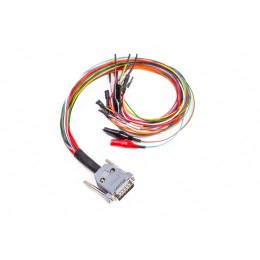

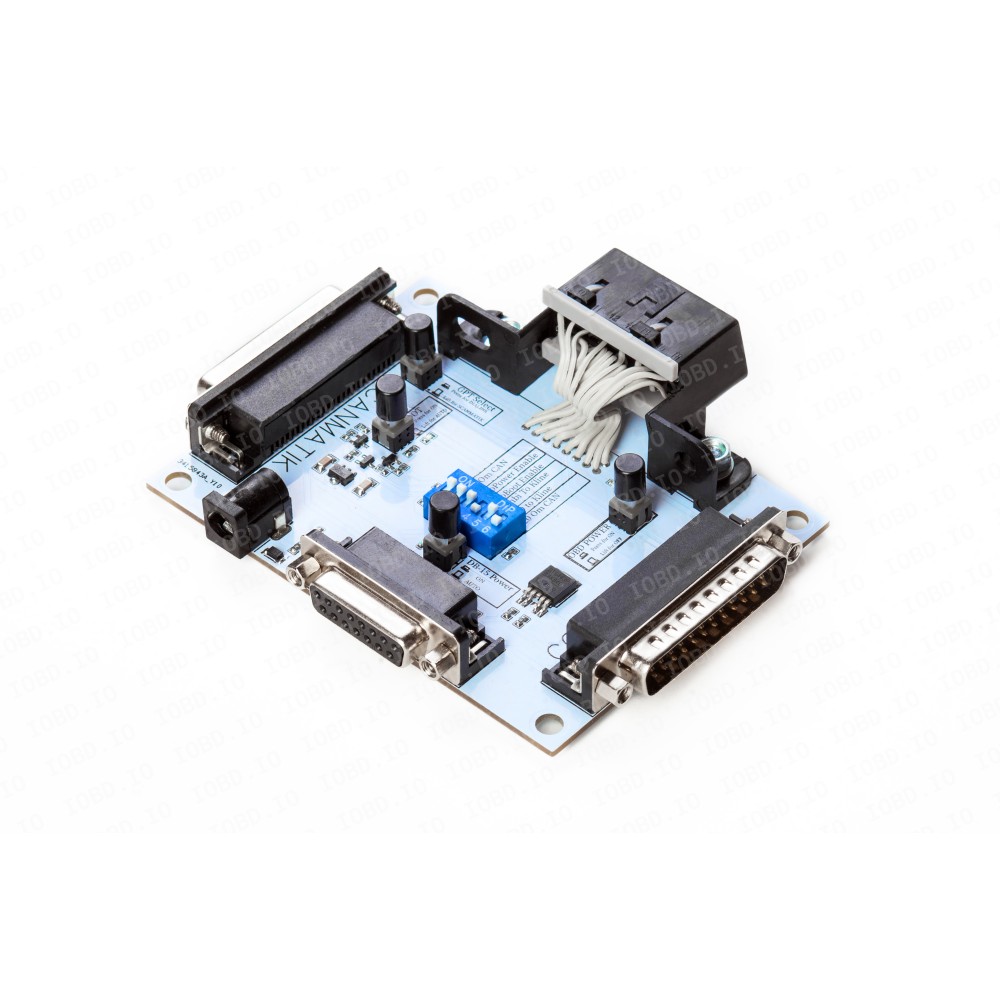
Universal Powerbox by Serdgp for working with control units on the table. The project author is a Russian enthusiast Serdgp. Developed and produced in Russia.
Universal adapter for connecting control units on the table to various flashers or diagnostic equipment. It is an improved and modified version of Chipsoft Breakout Box V2.
This adapter is designed for voltage switching and various signal connections when working with units such as ECU, ODO, SRS, ABS, etc. Any flashers can be used during operation; (PCM Flash, ECUF Flasher, MMC Flasher, ChipLoader(NG), Combiloader, M&D Flasher, and others, working through adapters OP2, Scanmatik 2 (2 Pro), Dialink, Chipsoft (all models), Mongoose, K-L Line, and others, declared in the programs.
To avoid damaging the adapters, units, and incorrect program operation, it is not allowed to connect multiple adapters to the connectors simultaneously, except when working with Combiloader!
Main advantages of the universal Powerbox by Serdgp:
- Separate power control for each connector with separate indicator lights
- Possibility of automatic power control (L-line). In this case, power is supplied to all connectors at once
- In Combiloader, automatic power control is organised from its own host and is also output to the Ktag connector
- Presence of 4 boot pins with 1k to ground (gnd) and 2 boot pins with 1k to 3.3V with the possibility of both manual and automatic activation (12 pin OBD)
- DIP switch for setting additional resistance on the can bus (120 Ohm or 60 Ohm)
- Full compatibility with PowerBox for PCM Flash. The DB-15 Ktag connector also has additional GPT outputs for use with the 71 module
- Full compatibility with Chipsoft breakout box. The DB9 connector and the "comb" are the same
- Combination of power supply for the "comb" and DB-9 connector
- Connection to Scanmatik without OBD2 cable
The PowerBox adapter has the following connection connectors:
- OBD2 connector for connecting J2534 and other adapters
- COMBILOADER for connecting the adapter
- KTAG, DB15 connector, used for connecting control units
- SCANMATIK for connecting Scanmatik 2 or Scanmatik 2 PRO
The functionality of each button is labeled on the board:
- ODB Power, when pressed, supplies +12V to pin 16 of the OBD connector. Used for working with Combiloader and Dialink. When using GPT, according to the Combiloader manual, power needs to be turned off in some cases
- When GPT Select is pressed, GPT1 output is connected to pin 15, and GPT2 is connected to pin 7 of the OBD connector. When GPT Select is released, GPT1 is connected to pin 1, and GPT2 is connected to pin 2 of the OBD connector. It is used to select the source of the GPT signal generation. When pressed, it is used for Combiloader and Dialink, and when released, it is used for Scanmatik 2 and PCMFlash or using the GPT2 contact for j1850 (+).
- When DB15 POWER is pressed, the corresponding connector is activated. When released, automatic power supply is used (if enabled by the DIP switch).
- BOOT - Boot pin mode (ground and +3.3V are applied to the corresponding pins through 1 kOhm resistors of the DB-15 connector) for automatic and manual activation.
There are 6 DIP switches located in the center of the board for configuring the box for different loaders or situations:
- 1. 120 Ohm CAN - switching the Can bus with a 120 Ohm resistor
- 2. Auto Power - enabling/disabling power control
- 3. Auto Boot - enabling/disabling Boot pin control
- 4. Combi K-Line - enabling/disabling K-Line from the Combiloader connector on DB-15
- 5. OBD K-Line - enabling/disabling K-Line from OBD+Scanmatik on DB-15
- 6. 120 Ohm CAN - switching the Can bus with a 120 Ohm resistor (to obtain 60 Ohms)
This adapter can also be used for signal switching during diagnostics and repair on the bench; for engine control units, SRS, ABS, and others. It is also convenient for working with instrument clusters that require power supply and various signals.
DB15 pinout on the board:
- BOOT1-(RESET) - negative output through a 1 kOhm resistor
- VPP/BOOT(+17V) - for Combiloader, enables programming for Mitsubishi via OBD2, boot pin output +17V
- GPT2/J1850+ - in BSL, BSM mode it is GPT2, direct connection when working with Scanmatik 2Pro, Ford PWM blocks J1850+ bus
- BOOT+(CNF1) - +3.3V output through a 1 kOhm resistor
- +12V - constant voltage +12V
- AUX18V - when working with Scanmatik 2Pro, direct connection, FEPS +18V for Ford PWM blocks, also boot pin +17V when working with Mitsubishi
- CAN-HI - CAN-H bus output
- J1850- - when working with Scanmatik 2Pro, direct connection, Ford PWM blocks J1850 bus
- KEY+12 - controlled voltage +12V, controlled by L-Line
- BOOT2- - negative output through a 1 kOhm resistor
- GND - ground output
- GPT1 - in BSL, BSM mode it is GPT1
- Empty
- K-LINE - K-Line bus output
- CAN-L - CAN-LOW bus output