
- Bench connection diagrams for module 100 PCMflash
- Please note: Module activation is performed by the developer during working hours (from 10:00 to 18:00 GMT+3), usually within 1 hour. Outside of working hours, as well as on weekends and public holidays, activations are processed as time permits. Please plan your activation in advance.
- PCMflash Support
PCMflash Module 100: Ford Continental SID212 / SID212EVO
This module provides a solution for working with Continental SID212 and SID212EVO ECUs — no third-party unlocking services required, where supported by the functionality. A key advantage is full support for the latest SID212EVO units with enhanced protection, positioning Module 100 as a leading tool in this segment.
- Ford Transit: 2.0L diesel (SID212/SID212EVO) [RD/WR/CK]
- Ford Focus 4: 2.0L diesel (SID212/SID212EVO) [RD/WR/CK]
- Ford Kuga 3: 2.0L diesel (SID212/SID212EVO) [RD/WR/CK]
- Ford Mondeo 5: 2.0L diesel (SID212/SID212EVO) [RD/WR/CK]
To activate the module you need a USB dongle PCMflash. When ordering, please indicate the Serial Number of the key.
PCMflash Module 100 is a specialized software module for the PCMflash loader that significantly expands its capabilities for working with modern Ford diesel ECUs. It is specifically designed for 2.0L EcoBlue engines and is a critical update for professionals servicing Ford commercial vehicles.
Applicability
Module 100 supports vehicles equipped with Continental SID212 / SID212EVO ECUs, including:
- Ford Transit
- Ford Focus
- Ford Kuga
- Ford Mondeo
Engines:
- 2.0L Diesel EcoBlue
Module Functionality
- Full Flash memory reading
- Calibration area writing
- Automatic checksum (CS) verification and correction
- Works in OBDII mode or on a bench via the ECU connector (no need to open the device).
- Full support for SID212EVO ECUs with advanced security
Technical Capabilities
- Supported ECUs: Continental SID212 / SID212EVO
- Processor family: Infineon Aurix TC297
- Connection type: Bench Mode (no ECU opening required)
- Operations: Read / Write / Checksum correction
Workflow & Reliability
All operations are performed in Bench Mode, ensuring a controlled and stable working environment.
PCMflash is known for its robust and reliable algorithms, minimizing risks when working with high-value ECUs. Stable writing procedures and precise data handling make this module suitable for professional use in demanding conditions.
Run the program and on the main screen it says "USB dongle serial number"

Launch the program and click “Settings”
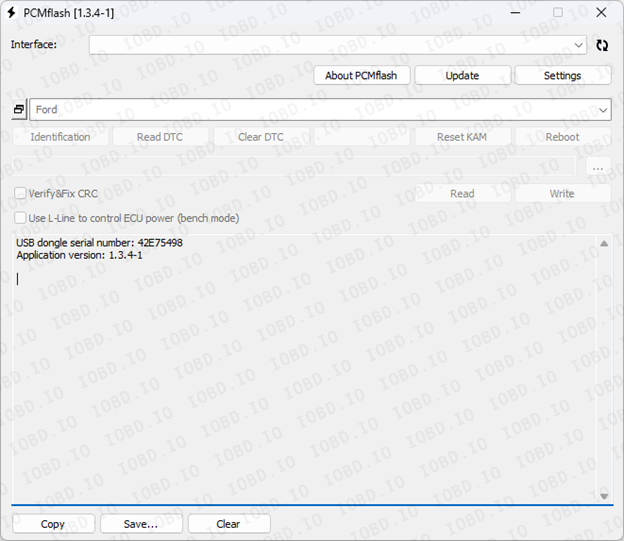
Paste the code to activate the module and click “Activate”
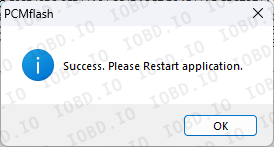
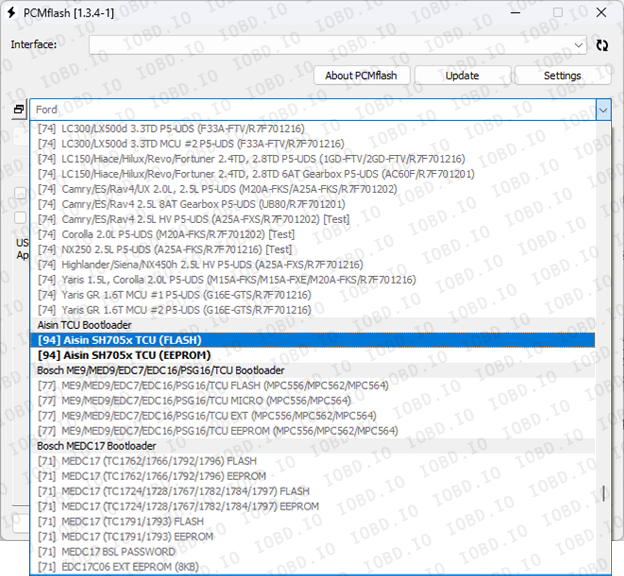
After rebooting, the activated module should be displayed, highlighted in bold text.
1. No Refunds or Modifications for Digital Licenses
Activated modules or licenses cannot be returned or refunded.
If an incorrect key or device number is entered by the customer, the purchase is not eligible for return.
Licenses cannot be modified, transferred, or reissued for another device under any circumstances.
2. Irreversible Order Processing
After the order status changes to “Waiting for activation”, the data has already been sent to the developer.
From this point onward, the order cannot be canceled, edited, corrected, or refunded.
3. Responsibility for Software Functionality
Our store is not responsible for the functionality, performance, or declared features of any software module.
We do not guarantee the listed functions because we are not the developer.
4. Accuracy of Product Information
Module and script descriptions are provided directly by the manufacturer.
IOBD.io is not responsible for any inaccuracies, missing details, or differences between the description and actual operation.
In disputed situations regarding functionality or listed features, the customer must contact the manufacturer.
5. Customer Responsibility for Installation
IOBD.io sells professional automotive diagnostic software and equipment.
Installation, setup, configuration, and compatibility checks must be performed by the customer.
We do not provide remote installation, programming, or setup services unless explicitly stated otherwise.
6. Required Technical Knowledge
These products are intended for users with basic technical knowledge in automotive diagnostics.
The customer is fully responsible for understanding the installation process and using the software and hardware correctly.
7. No Liability for Incorrect Usage
IOBD.IO is not responsible for issues caused by:
incorrect installation
unsupported or incompatible hardware
improper configuration
third-party interference