
License ST007 (Toyota VDO NEC+24c16) STool for reading/writing mileage and EEPROM in Toyota instrument panels.
Supported cars and instrument panels:
- Toyota (ELS27)
Auris 2012+ VDO (NEC+24c16) Mileage and Eeprom reading/writing
Auris 2015+ VDO (NEC 70F3535) Mileage and Eeprom reading/writing
Avensis 2015+ VDO (NEC 70F3535) Mileage and Eeprom reading/writing
Camry v70 (R7F701406) Mileage and Eeprom reading/writing
Camry v70 2021+ (R7F701406) Mileage and Eeprom reading/writing
C-HR 2016+ VDO (NEC 70F3535) Mileage and Eeprom reading/writing
C-HR 2020+ VDO (R7F701418) Mileage and Eeprom reading/writing
Corolla 2013+ VDO (NEC+24c16) Mileage and Eeprom reading/writing
Corolla 2015+ VDO (NEC 70F3535) Mileage and Eeprom reading/writing
Tacoma 2016+ VDO (NEC 70F3535) Mileage and Eeprom reading/writing
Tacoma 2020+ VDO (NEC 70F3535) Mileage and Eeprom reading/writing
To work with the module you need to buy a USB protection key. You can activate an unlimited number of licenses on one key. To activate new licenses, you need to provide the serial number of your key.
Launch the program and click the “About” button in the lower left corner.
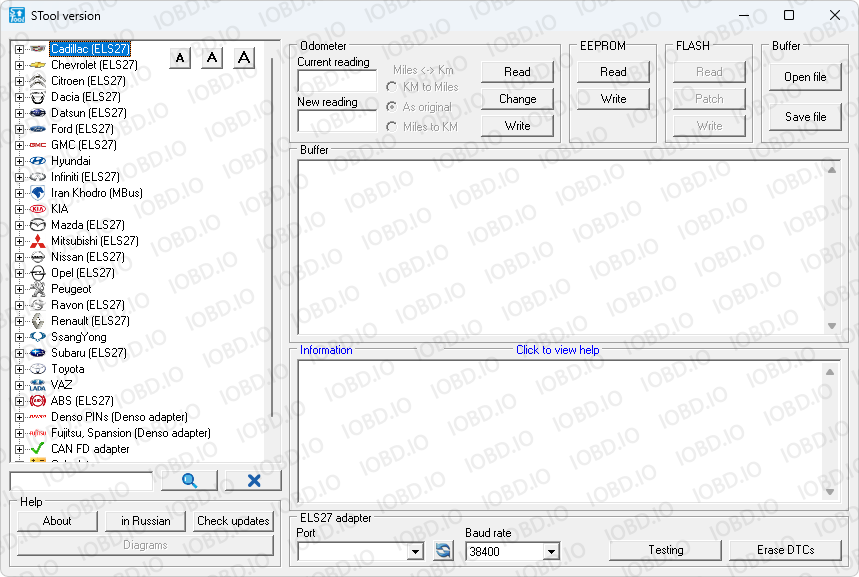
Copy the “Guardant dongle” and and indicate this number in the order.
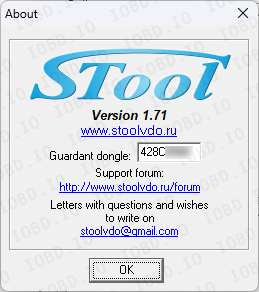
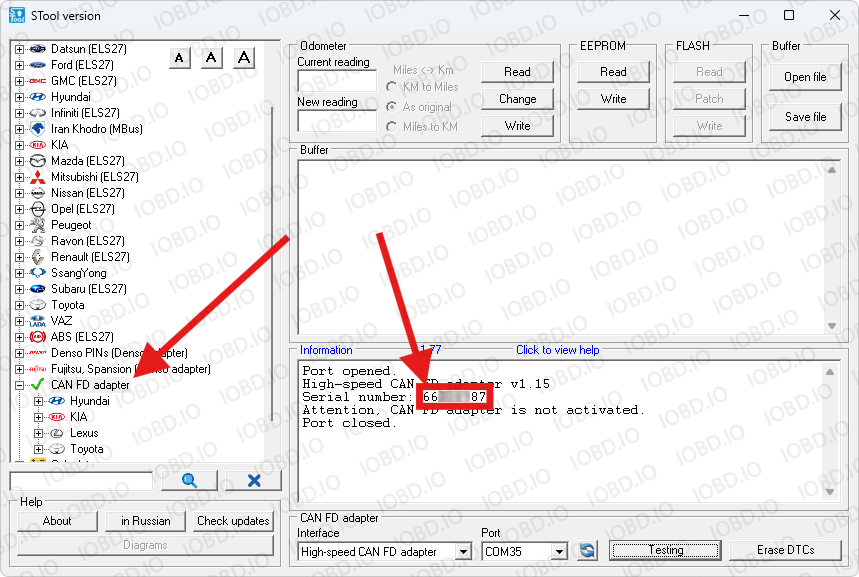
The CAN-FD adapter number can be seen on the sticker on the adapter or in the program, click on the "CAN FD adapter" section and test the device.
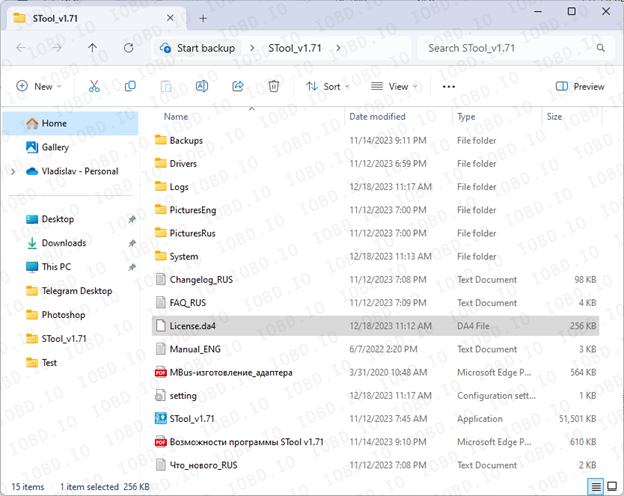
After activation you will receive the file “License.da4” (the file name must be exactly License.da4). Save this to the main folder with the program. if you have an old license file, delete it.
1. No Refunds or Modifications for Digital Licenses
Activated modules or licenses cannot be returned or refunded.
If an incorrect key or device number is entered by the customer, the purchase is not eligible for return.
Licenses cannot be modified, transferred, or reissued for another device under any circumstances.
2. Irreversible Order Processing
After the order status changes to “Waiting for activation”, the data has already been sent to the developer.
From this point onward, the order cannot be canceled, edited, corrected, or refunded.
3. Responsibility for Software Functionality
Our store is not responsible for the functionality, performance, or declared features of any software module.
We do not guarantee the listed functions because we are not the developer.
4. Accuracy of Product Information
Module and script descriptions are provided directly by the manufacturer.
IOBD.io is not responsible for any inaccuracies, missing details, or differences between the description and actual operation.
In disputed situations regarding functionality or listed features, the customer must contact the manufacturer.
5. Customer Responsibility for Installation
IOBD.io sells professional automotive diagnostic software and equipment.
Installation, setup, configuration, and compatibility checks must be performed by the customer.
We do not provide remote installation, programming, or setup services unless explicitly stated otherwise.
6. Required Technical Knowledge
These products are intended for users with basic technical knowledge in automotive diagnostics.
The customer is fully responsible for understanding the installation process and using the software and hardware correctly.
7. No Liability for Incorrect Usage
IOBD.IO is not responsible for issues caused by:
incorrect installation
unsupported or incompatible hardware
improper configuration
third-party interference