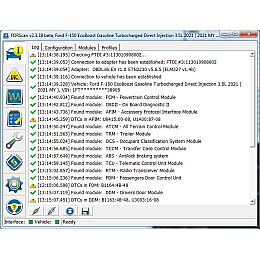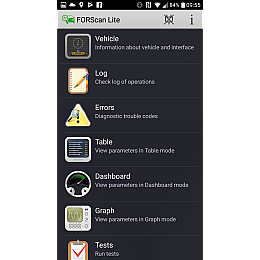
FORScan Windows 2.3.69 Update — New Features and Improvements
The FORScan for Windows version 2.3.69 update has been released, introducing major improvements to the licensing system, enhanced compatibility with modern hardware, and new tools for vehicle diagnostics and programming.
This update is recommended for all users working with FORScan diagnostic software for Ford, Mazda, Lincoln, and Mercury vehicles.
Key Changes in FORScan 2.3.69
New Extended License Protection System
Version 2.3.69 introduces a new protection system for the Extended License. The previous protection method had been in use for decades but is no longer supported by its developer, causing stability and compatibility issues.
Main advantages of the new protection system:
- digitally signed executable file, significantly reducing false antivirus detections
- full compatibility with ARM-based processors (Windows on ARM)
- improved security and licensing reliability
Known drawbacks:
- increased EXE file size
- longer application startup time (up to 3–5 seconds on slower computers)
FORScan License Reactivation After Update
Due to the new license protection system, users with paid Extended Licenses must reactivate their license using the same activation key as before.
- if a relatively recent version of FORScan was installed, version 2.3.69 will automatically prompt for reactivation
- for free license users, the hardware ID format has changed
- manual entry of the hardware ID is no longer recommended — always copy it via the clipboard
The functionality of Standard and Extended licenses remains unchanged.
License Revocation for a Specific Computer
FORScan 2.3.69 adds the ability to revoke a license key for a specific computer directly on the FORScan server. This helps prevent the error “Maximum number of activations exceeded” when hardware ID changes occur.
- available only for paid Extended Licenses
- license revocation is possible no earlier than 24 hours after key generation
FORScan Server Connection Test
A new server connection test has been added for the selected Internet API, making it easier to:
- diagnose connectivity issues
- select the correct Internet API version
- configure network-related settings
Other Improvements and Fixes
Additional updates include:
- PATS programming enhancements for certain newer vehicle models
- bug fixes and stability improvements
- various minor optimizations
The full list of changes is available in the official FORScan changelog.
Recommended Diagnostic Adapter: ELS27 for FORScan
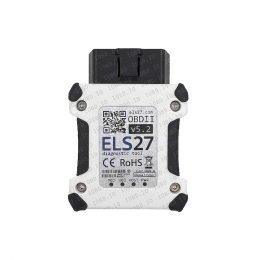
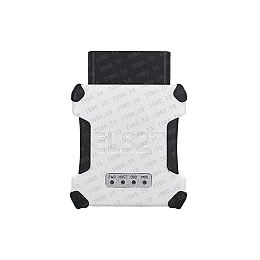
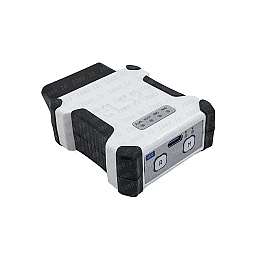
For stable and full-featured operation with FORScan Windows 2.3.69, we recommend using the ELS27 diagnostic adapter, one of the most reliable solutions for Ford and Mazda vehicles.
Why Choose the ELS27 Adapter:
- full compatibility with FORScan, including Extended License features
- HS-CAN / MS-CAN support
- high communication speed and stable connection
- ideal for ECU programming, PATS functions, and service procedures
Buy the ELS27 diagnostic adapter from our online store
Official warranty, fast shipping, and professional technical support.