

- Scripts work only with original devices iProg Pro
-
Processing Time: From a few hours up to several days.
Scripts are created individually by different third-party developers, so fulfillment speed depends directly on their current workload.
Script for Automatic ROB History Clearing in Tecstream and GTS+ via OBD2
A universal script designed for one-click auto-clearing of ROB history (the green circles) in Toyota Techstream and GTS+ diagnostic software. Eliminates the need to manually access each ECU to delete history entries. Especially useful for modern vehicles where 20–25 different control modules may store ROB data.
The script only works with original iProg Pro programmer! Please write Serial Number and UID in the order.
Key Features:
- One-click automatic ROB history clearing
- Operates via standard OBD2 diagnostic protocol
- The script was tested with an adapter based on MCP2515
- Deletes only those ROB entries that can be cleared via Techstream and GTS+
Compatibility:
Tested on vehicles from 2020 to 2024:
- Toyota: Highlander, RAV4, Camry (V70/V80), Land Cruiser 300, Sequoia 2023, Prius XV55
- Lexus: NX, RX, ES250
Current Script Coverage:
- Supports 37 ECUs, including multiple variations
- Free future updates — ECU list will expand to support new vehicle configurations
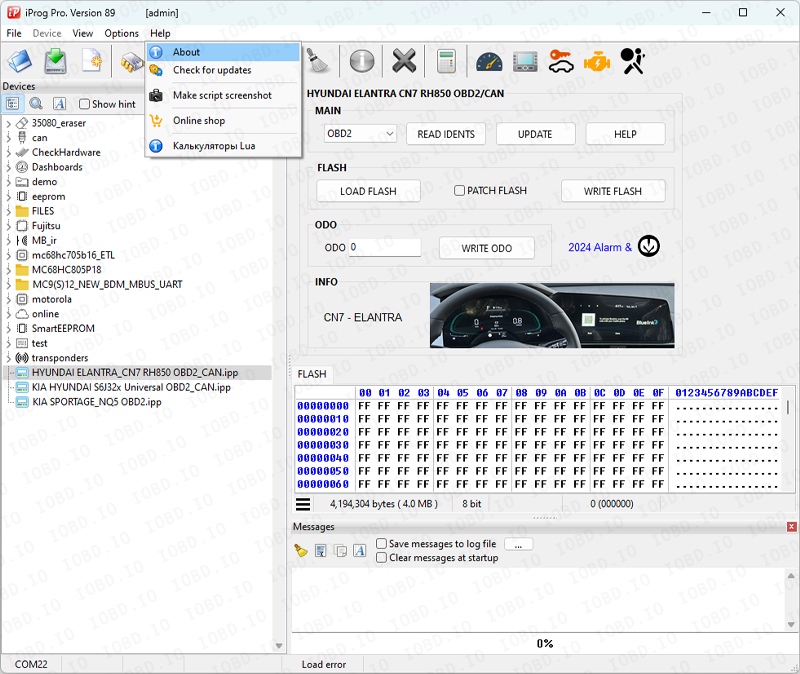
Open the program and click “Help” -> “About”.
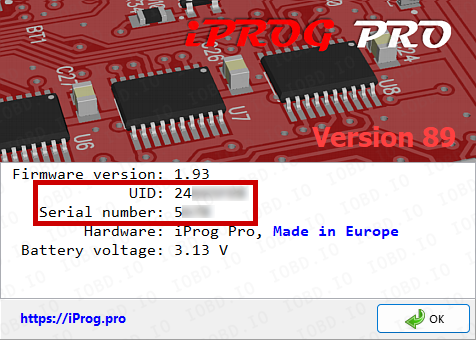
Copy data from the program when placing an order
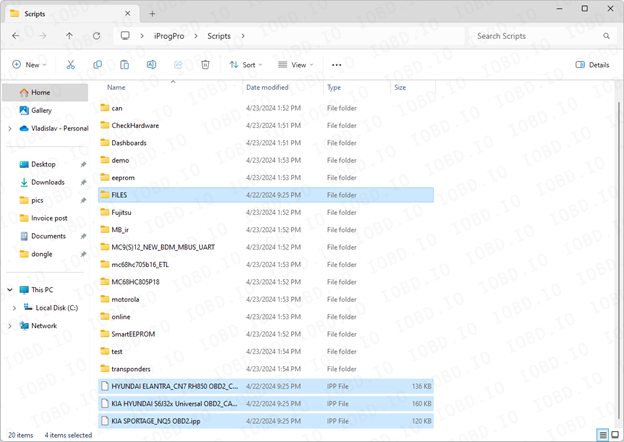
After completing the order, you will receive files, they must be added to the Scripts folder..
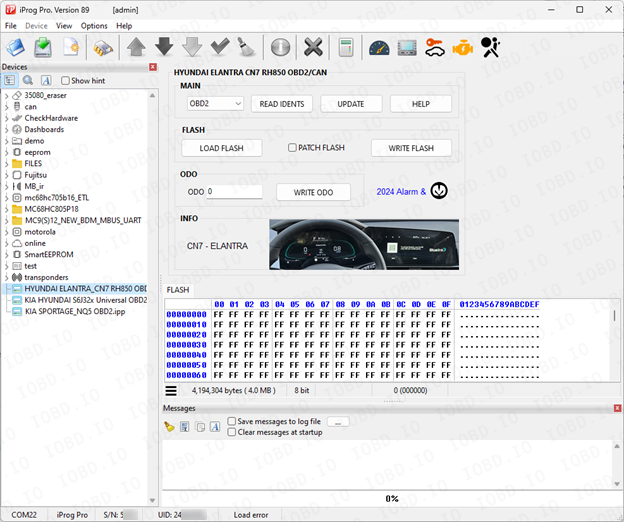
Launch the program and on the left side of the screen you will see the added scripts.
1. No Refunds or Modifications for Digital Licenses
Activated modules or licenses cannot be returned or refunded.
If an incorrect key or device number is entered by the customer, the purchase is not eligible for return.
Licenses cannot be modified, transferred, or reissued for another device under any circumstances.
2. Irreversible Order Processing
After the order status changes to “Waiting for activation”, the data has already been sent to the developer.
From this point onward, the order cannot be canceled, edited, corrected, or refunded.
3. Responsibility for Software Functionality
Our store is not responsible for the functionality, performance, or declared features of any software module.
We do not guarantee the listed functions because we are not the developer.
4. Accuracy of Product Information
Module and script descriptions are provided directly by the manufacturer.
IOBD.io is not responsible for any inaccuracies, missing details, or differences between the description and actual operation.
In disputed situations regarding functionality or listed features, the customer must contact the manufacturer.
5. Customer Responsibility for Installation
IOBD.io sells professional automotive diagnostic software and equipment.
Installation, setup, configuration, and compatibility checks must be performed by the customer.
We do not provide remote installation, programming, or setup services unless explicitly stated otherwise.
6. Required Technical Knowledge
These products are intended for users with basic technical knowledge in automotive diagnostics.
The customer is fully responsible for understanding the installation process and using the software and hardware correctly.
7. No Liability for Incorrect Usage
IOBD.IO is not responsible for issues caused by:
incorrect installation
unsupported or incompatible hardware
improper configuration
third-party interference